How should I describe Outset to participants?
Last updated: March 23, 2026
When inviting participants to take part in a study on Outset via external recruitment, it's helpful to give them a quick overview of what to expect.
Because Outset interviews are AI-led and often include voice responses, participants may be unfamiliar with the format. Adding a short, friendly introduction can increase completion rates and help participants feel more comfortable. We've had great success with participants quickly becoming comfortable with the interview format and opening up!
Below are some best practices and sample language for how to describe Outset.
1. Set expectations clearly
Let participants know how long the interview will take, the format, and the deadline. A standard version might read:
We look forward to your participation in this conversational survey, which should take about 10–15 minutes to complete. The experience includes a short screener followed by an interactive survey with voice-recorded audio clips. You can complete the survey anytime between now and [DATE] - no need to schedule!
Outset can be described either as an "interview" or a "conversational survey" depending on how you think your audience will respond best. Feel free to adjust timing and deadlines based on your study.
2. Explain the AI-led format
Since Outset interviews are moderated by an AI, it’s helpful to explain this upfront in simple, human language. Here’s a commonly used line that you can include either in the email or at the start of the interview:
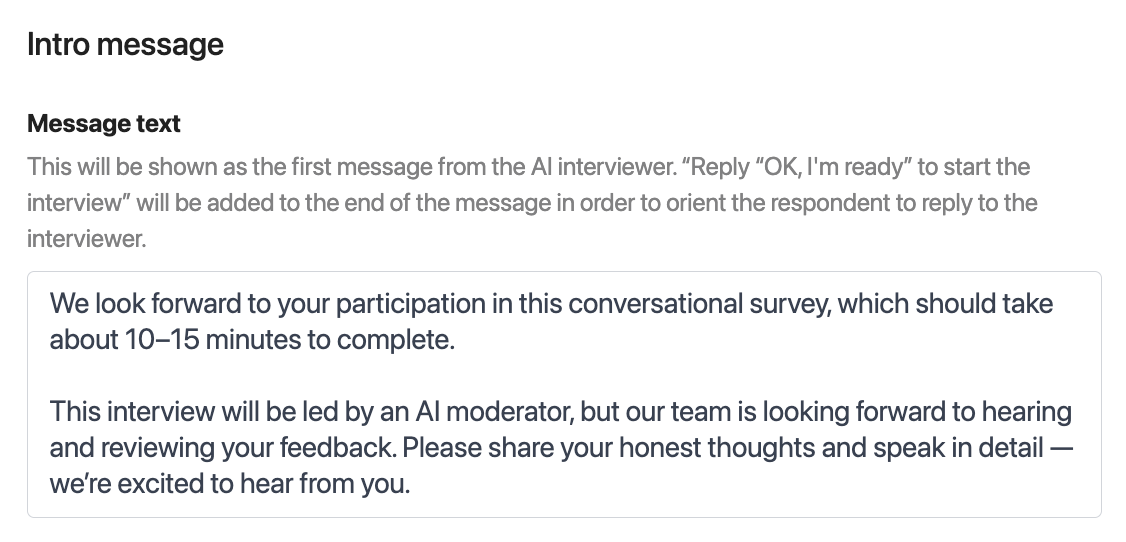
This interview will be led by an AI moderator, but our team is looking forward to hearing and reviewing your feedback. Please share your honest thoughts and speak in detail — we’re excited to hear from you.
You can also include this in the editable intro message at the beginning of the interview itself, which participants hear before the first question.
3. Help participants feel comfortable
Let them know that there are no right or wrong answers, and that the voice format is easy to use. For example:
Just speak your answers out loud as if you're chatting with a person. There are no right or wrong answers — we just want to hear your perspective.
4. Optional tips and do’s/don’ts
You may also want to add a few platform tips depending on your audience:
Device requirements: Include a note in external description outlining which device participants should use to take a study. You can also include a screener question to confirm this
Example Screener: Please confirm you are currently on a desktop or laptop, and is able to complete this interview on the device. Please note that if the interview is not completed with a desktop or laptop, your session may not be marked as a valid Complete.Use a quiet space: Encourage participants to find a quiet spot so voice / video recordings are clear.
Be descriptive: Remind them that the more detail they provide, the more helpful their insights will be.
No need to type: Everything can be answered by voice, unless noted otherwise.
You can copy and paste any of these lines into your email or adjust for tone and audience. Keeping things friendly, clear, and low-pressure helps participants feel confident going into the experience.
Hope this helps! If you have any further questions, please reach out to our team at support@outset.ai or via chat.