Interview Guide Settings
Last updated: May 21, 2026
This guide walks you through the available study settings so you can configure your interview with confidence!
Choose How to Create Your Guide:
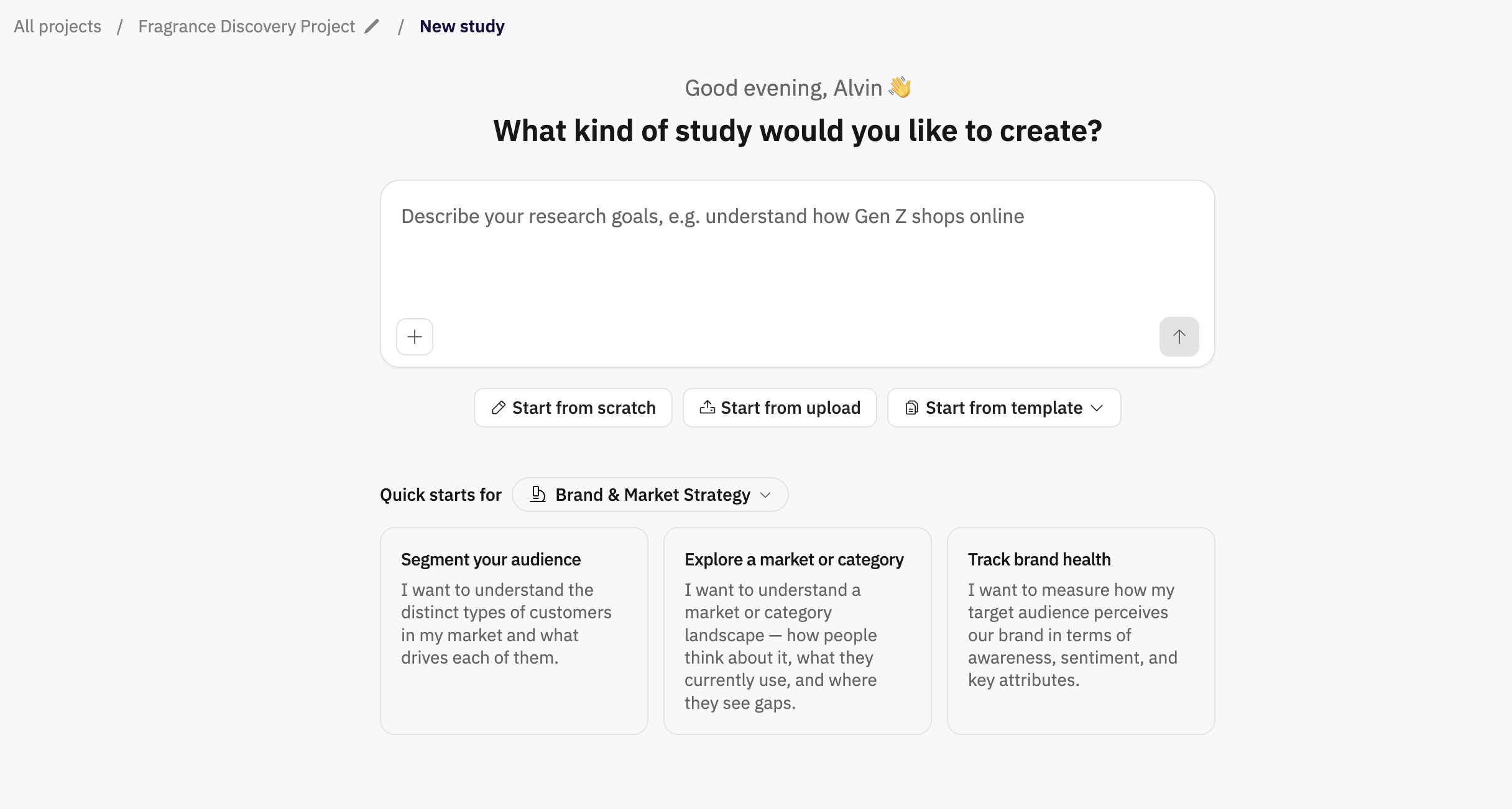
AI-generated guide – Describe your study goals, then choose additional options such as # of questions, interview purpose (concept test vs. discovery), and question type mix (qual/quant).
Start from scratch – Manually add questions and configure settings like Interview Method, Context for AI, Max # of interviews (optional), and checkboxes for Pass Metadata, Skip Walkthrough, and Enable Interviewer Voice.
For Standard AI Interviews, there’s also an option to allow participants to switch to chat if their camera/microphone is not working.
Upload your own guide – Upload an existing interview guide file. Full instructions here.
Set Interview Type & Modality
Interview Method – wwitch between modes available for your chosen interview type
Standard AI Interview
Usability Testing
Select Modality: the available modalities depend on your chosen interview type
Standard AI Interview | Usability Testing |
|
|
Modality-Specific Options for Usability Testing
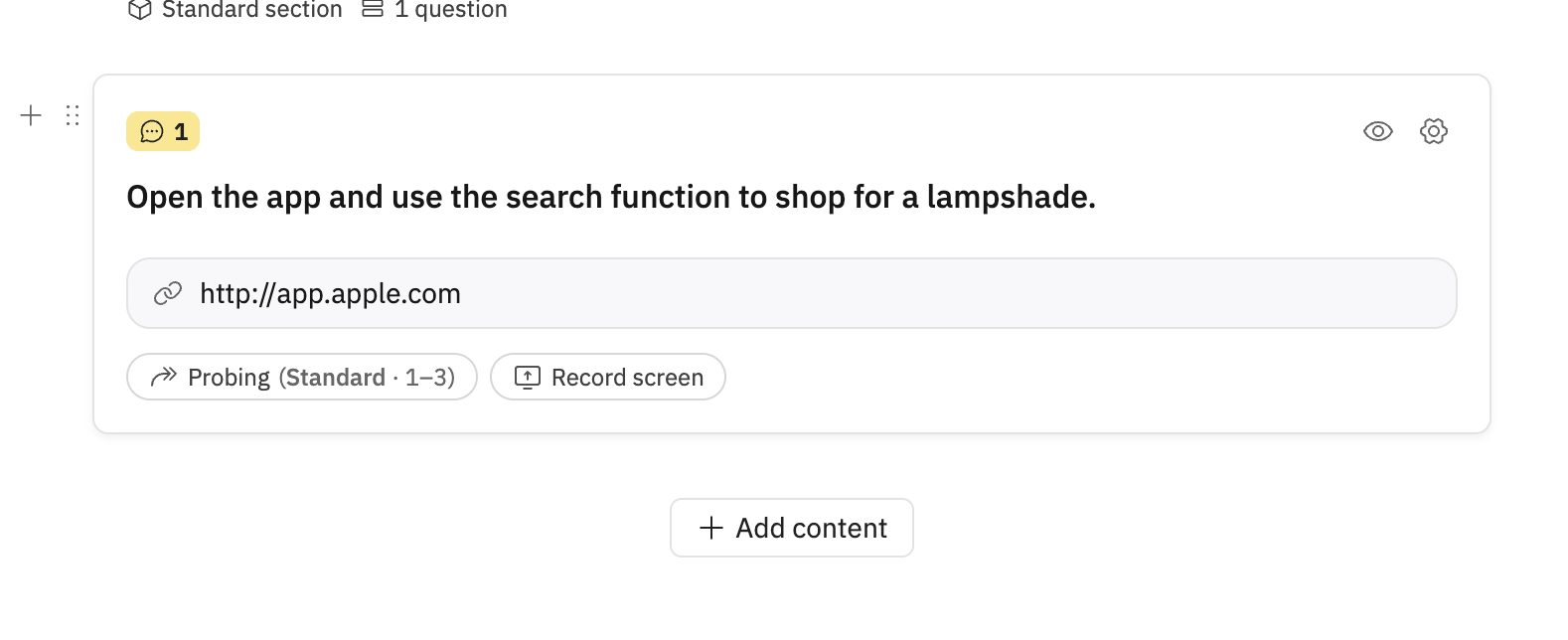
Desktop Website/Prototype – Add a link and optionally enable Record screen for duration of this question. The system will ask participants for permission to record their full screen for the entire interview.
Mobile Website/Prototype – Same as above.
Mobile App – Add the Mobile App Name and App Store link. Before starting, participants see a special onboarding screen with instructions to download the Outset app and then scan a code to start the interview. Screen recording runs for the entire session.
Additional Settings:
Interview Language – Choose from a wide range of supported languages (full list here)
Written In – Language your guide is written in
Maximum # of Interviews – Limit how many times the interview can run
Checkbox options: Pass metadata to AI interviewer, Skip walkthrough, Enable moderator voice
Auto-flag PII - read more here!
Allow chat (text modality) fall back
Section Randomization
You can also randomize the order of sections in your guide:
Monadic – Each participant sees a randomized section or section(s) from the set you select.
Sequential Monadic – Each participant sees all selected sections, but in a randomized order.
By following these steps and using the settings that match your goals, you can ensure your AI-moderated interviews or usability tests run smoothly and collect the insights you need.
Hope this helps! If you have any further questions, please reach out to our team at support@outset.ai or via chat.