Screening for participants
Last updated: August 21, 2026
Diary studies run over multiple sessions. Here’s how screening works for diary studies, and how Outset builds your participant group as people move through your sessions.
Building your study-level screener
Screening for a diary study works the same way it does for any other study on Outset: you build your screener when you set up your first session, and it’s what determines who gets in. See our article on setting up a screener.
There’s one important difference for diary studies, though. Your screener lives on session 1 only — Outset doesn’t support a project-level screener, and later sessions don’t run their own screening. Once a participant completes session 1, they’re carried into session 2 automatically, without being screened again.
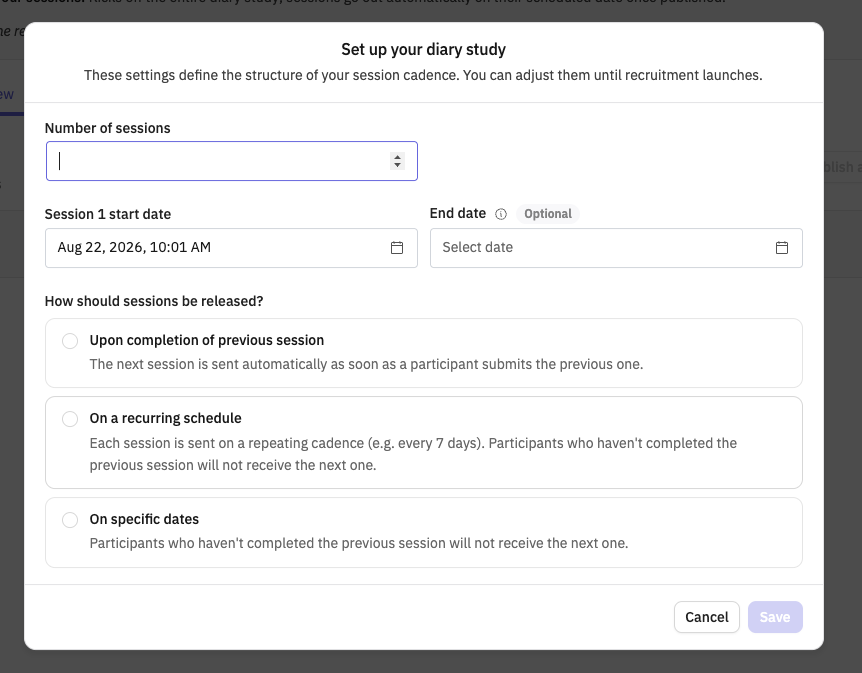
You’ll also choose your recruitment source for session 1 at setup — currently Prolific, Respondent, or a Concierge-managed recruit. Your Initial participant count, which sets how many people you’re recruiting, lives on your project’s Recruitment tab rather than in the setup modal.
How your participant group comes together
Once session 1 is published, Outset builds your participant group as people respond. Anyone who’s screened out is excluded from the group entirely — you’ll only ever see people who qualified in session one.
From there, each participant gets a status for every session they’re eligible for, visible in your project’s participant table:
Invited — has an invite, hasn’t started yet
In progress — started the session, hasn’t submitted
Completed — met the completion bar for that session
Dropped — didn’t finish before the next session opened (or ran out of time after starting); they won’t receive further session invites
Not counted – participant marked as fraud or low quality so they don’t count toward the participant count for the study
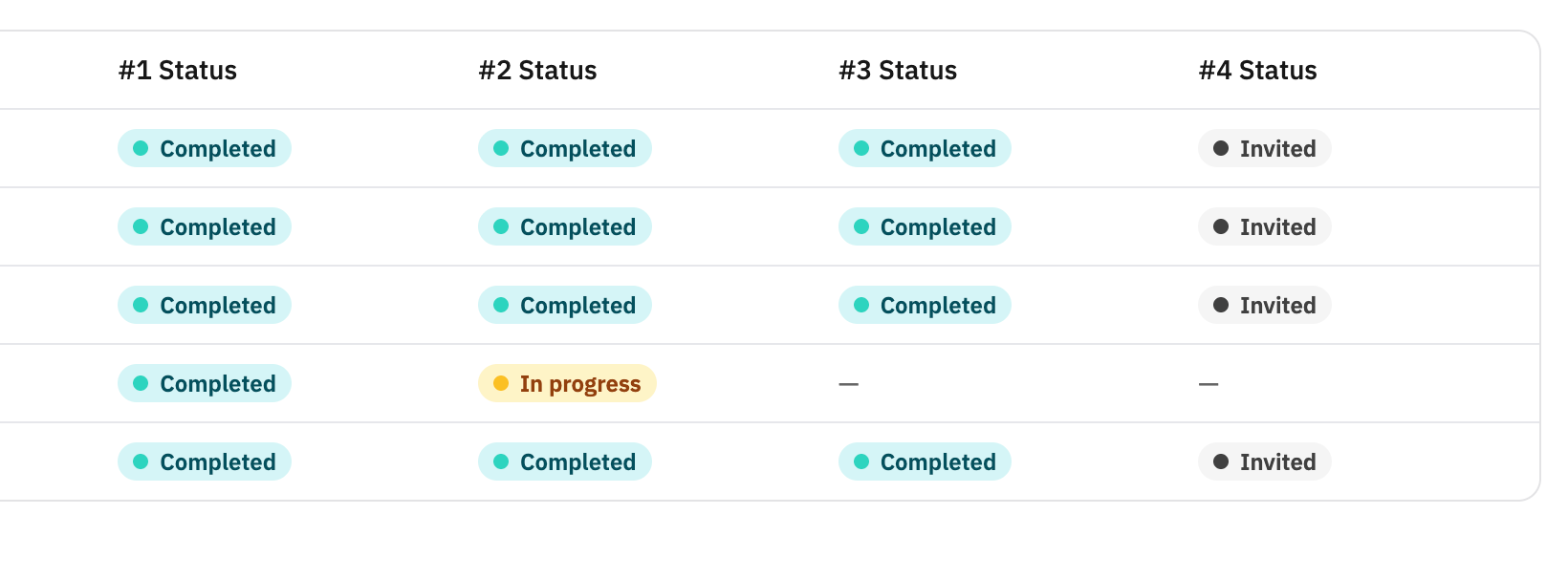
Completion is what gates advancement, no matter which cadence you chose at setup:
Upon completion of previous session — self-paced. The next session opens for each participant as soon as they submit the one before it, so your group can be spread across different sessions at any given time.
On a recurring schedule — sessions go out on a repeating interval, but only to people who completed the previous one. Anyone who hasn’t is marked Dropped and won’t receive the next invite, even though the schedule fires on time.
On specific dates — same completion rule as recurring, just with custom dates per session instead of an interval.
If someone finishes a session late, right after the next one opens, they’re picked up automatically — Outset checks for this the moment a submission comes in, so late finishers don’t get skipped or double-invited.
You can filter and search your participant table by status, so it’s easy to see who’s moving through your group and who’s fallen off.
A few things to know
Your screener criteria can only be set before session 1 is published — there’s no project-level screener to fall back on, so get it right upfront.
Screened-out participants never show up in your participant table, so a smaller-than-expected group can be a sign your screener is more restrictive than intended.
Once recruiting with your own audience is available, its own screening and consent flow will get a dedicated update to this article.
Hope this helps! If you have any further questions, please reach out to our team at support@outset.ai or via chat.