Participant numbers and drop off
Last updated: August 21, 2026
Diary studies only carry forward the participants who complete each session, so the number you start with has more riding on it than it does for a single-session study. Here’s where you set that starting number, and how to think about drop-off as your study runs.
Setting your initial participant count
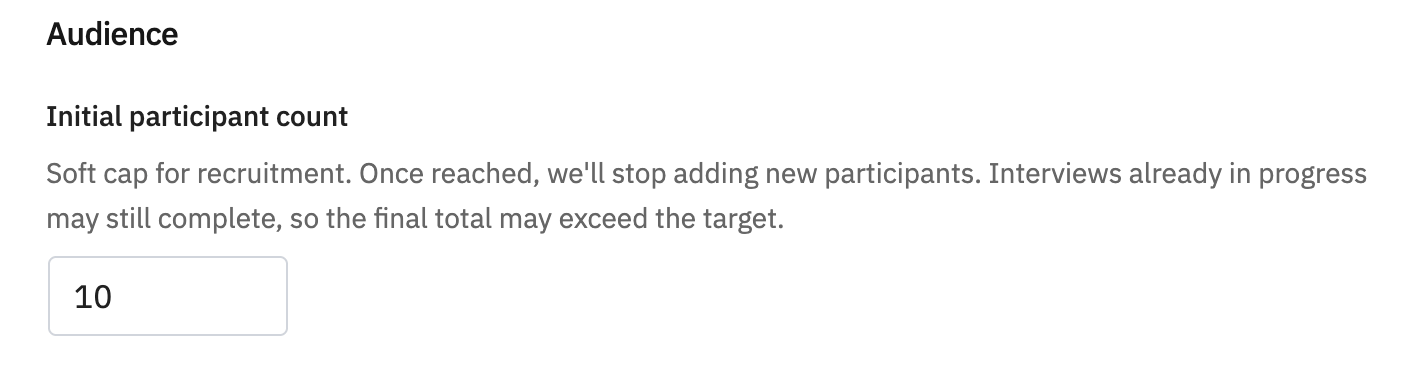
Your initial participant count lives on your project’s Recruitment tab, not the “Set up your diary study” setup modal. Whichever recruitment channel you choose, this is the number Outset recruits into session 1 — for Prolific, for example, it sets the open marketplace’s max assignments.
This number is set at the project level recruitment page, so it applies no matter which cadence mode you choose. It’s worth locking in your recruitment plan before you publish session 1, since it determines the size of the cohort you start with for the whole diary study. See our article on screening and building your participant group.
Planning your recruitment timeline
For Diary Studies, recruitment runs on two separate clocks: how long it takes to recruit your initial participant count, and how long the full study takes to complete once participants are in (including all time points).
Time to recruit depends mainly on your recruitment channel, screener criteria, and incentive. Broad, lightly-screened audiences fill faster; niche or highly-qualified audiences take longer, and tighter screeners mean a larger pool gets disqualified before your count starts moving.
Time to complete is your cadence and session count, plus the drop-off buffer described below. A self-paced study generally wraps faster than a scheduled one with the same number of sessions, since participants move on as soon as they're ready instead of waiting for the next scheduled send.
Why you should plan for drop-off from the start
Diary studies can lead to a higher dropoff than single-session studies. To account for this, the product intentionally over-recruits at the start and lets natural drop-off play out from there. That means your initial participant count is a ceiling on your starting cohort, not a guarantee of how many participants will make it through every session. We advise setting at least 25-30% more participants in your initial count than you want for your complete count.
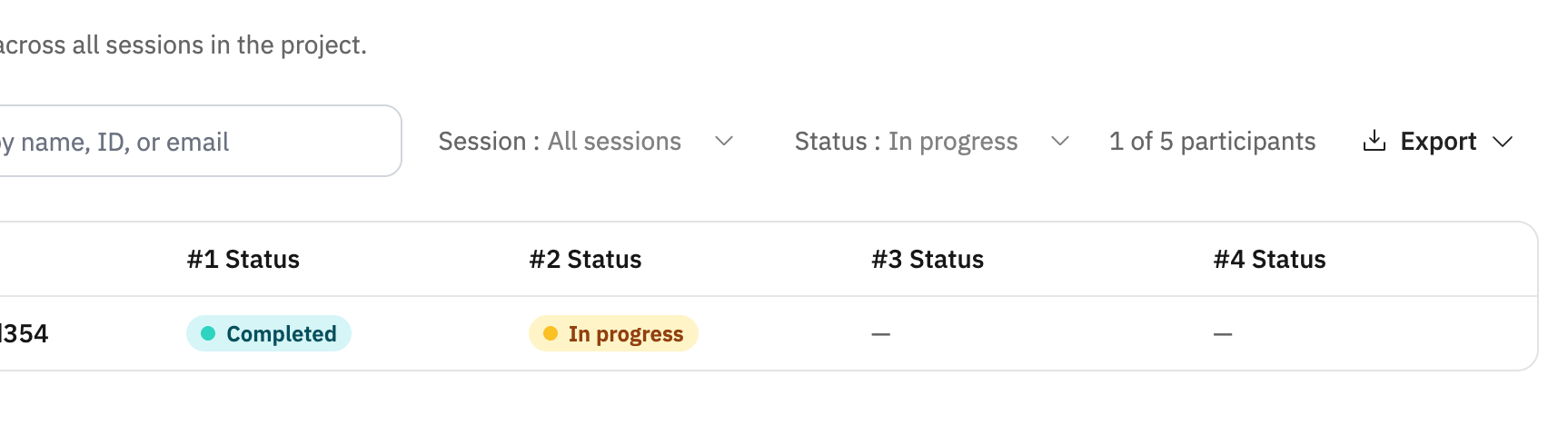
Completion per session is what gates advancement in every cadence mode: only participants who complete a session move on to the next one. Anyone who doesn’t is marked Dropped and won’t receive any further session invites. So it’s normal, and expected, for your active participant count to shrink as a diary study progresses.
How to increase completions
Offer an incentive that reflects the actual effort involved, especially for longer or higher-ask studies. See our article on cost guidance.
Make the study easy to participate in by following guide-development best practices.
Set expectations upfront — this is the lever most within your control. Being clear about the time commitment and pairing it with an incentive that matches the real effort consistently improves completion.
How drop-off shows up, by cadence
Upon completion of previous session (self-paced) — each participant moves at their own pace, so drop-off is mostly individual. The main way someone drops here is by starting a session and not submitting it within its completion window.
On a recurring schedule and on specific time points — these two modes move participants as a cohort. If someone hasn’t completed the previous session by the time the next one is scheduled to send, they don’t receive that next invite — they’re marked Dropped, even though the schedule fired on time. Because this check happens at every session boundary, drop-off can compound: the same rule reapplies at each stage, so your active cohort can shrink more with each additional session.
Late finishers aren’t cut off down to the second, though — straggler catch-up picks up anyone who submits right as the next session opens, advancing them automatically without a double invite.
Building in a buffer
Because only participants who complete a session carry forward, and because that rule reapplies at every session, it’s worth setting your initial participant count higher than the number of full-study participants you actually need — especially for studies with more sessions or longer cadences, where drop-off has more chances to compound.
Please note: as a general rule of thumb, we recommend planning for 25–30% drop-off across the full study when setting your initial participant count.
Your project’s participant table, with its per-session status filter, is the place to watch how your cohort is trending across sessions as the study runs — useful for calibrating the buffer you build into your next diary study.
To summarize
Initial participant count lives on the project’s Recruitment tab, not the setup modal — set your recruitment plan before you publish session 1.
Outset recruits up to your initial participant count, so your starting number matters more than it would for a single-session study.
Your screener criteria determine who’s eligible before any of this counts against your initial number. See our article on screening and building your participant group.
Hope this helps! If you have any further questions, please reach out to our team at support@outset.ai or via chat.