How to Schedule
Last updated: August 21, 2026
Diary studies run over multiple sessions, so how you schedule them determines when each one goes out and how your cadence behaves over the life of the study. Here’s how cadence, dates, and publishing all fit together.
Choosing your cadence
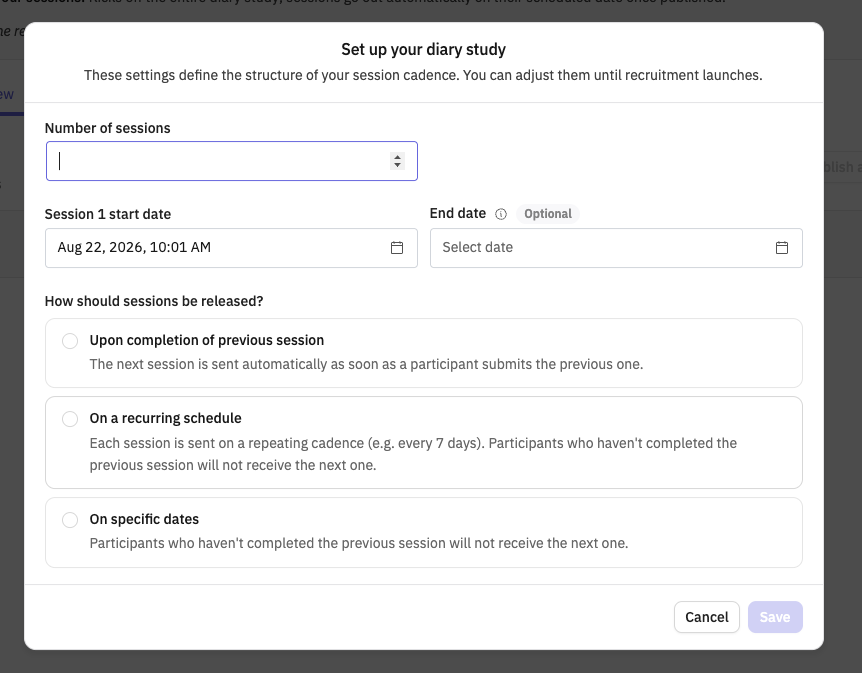
You pick your cadence mode when you set up your diary study, and it’s one of three options:
Upon completion of previous session — self-paced. The next session opens for each participant as soon as they submit the one before it, so your group can be spread across different sessions at any given time.
On a recurring schedule — sessions go out on a repeating interval you set, like every 7 days. Participants who haven't completed the previous session will not receive the next one.
On specific dates — you set a custom date and time for each session individually, with the same completion rule as a recurring schedule. Participants who haven't completed the previous session will not receive the next one.
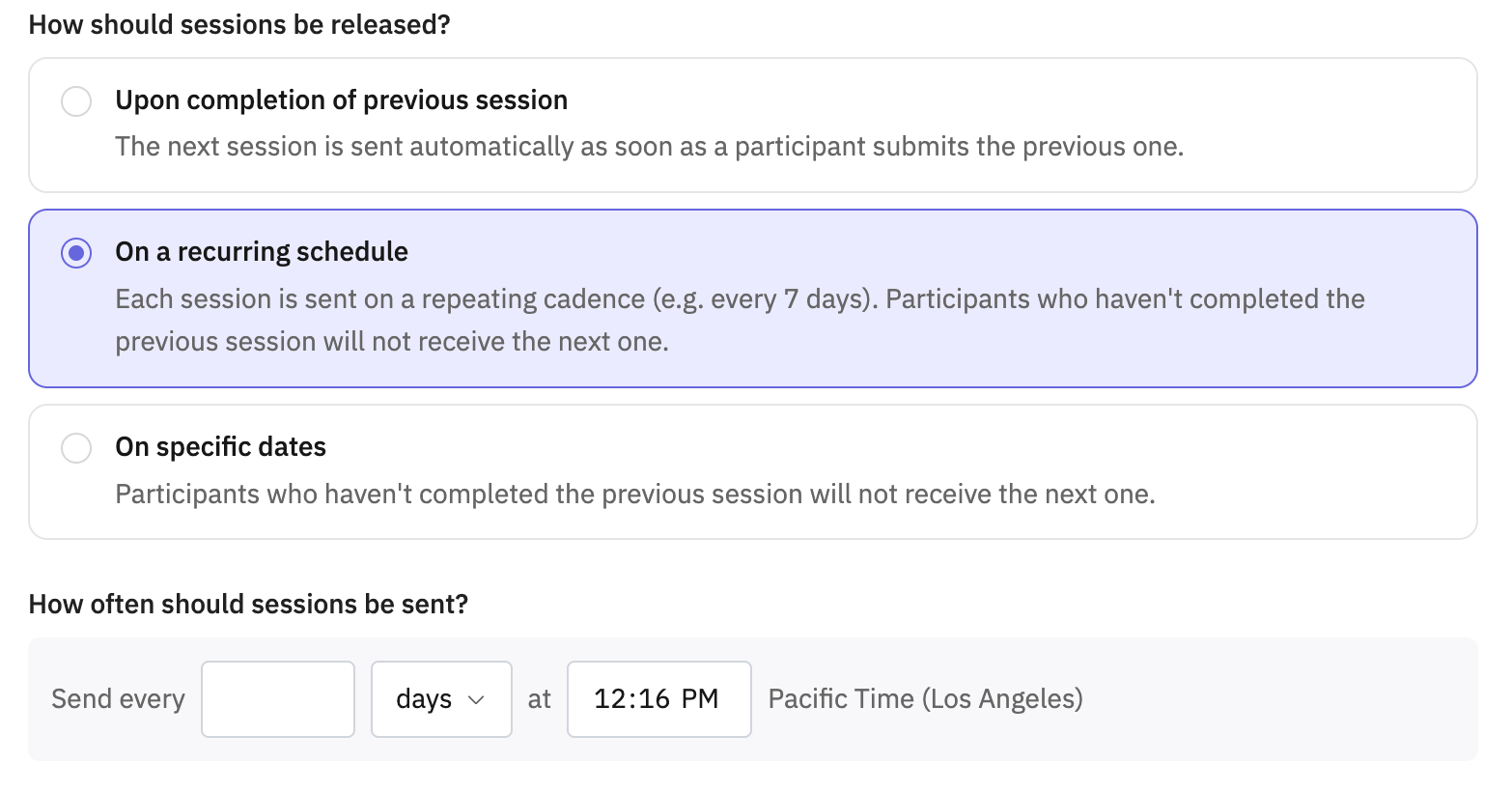
Whichever mode you choose, completion gates advancement: a participant who hasn’t finished session N doesn’t get invited to session N+1 — for the two calendar modes, they’re marked Dropped instead.
You can change your cadence mode after sessions already exist, but the switch reconciles your existing schedule rather than rejecting the change outright. One thing worth knowing: switching to "Upon completion of previous session" clears the dates on any session that hasn’t opened yet, so back up any hand-entered future dates before you switch.
Setting up your schedule
When you set up your diary study, you’ll choose your cadence mode, set how many sessions to run, and set a start date for the study. Session 1 defaults to opening at the same time tomorrow, and you can’t set it to a date in the past.
All dates and times you set are shown in your local time zone.
A few limits to keep in mind: studies can run up to 60 sessions, spanning roughly a year, and recurring intervals must be set in whole days.
The live cadence view
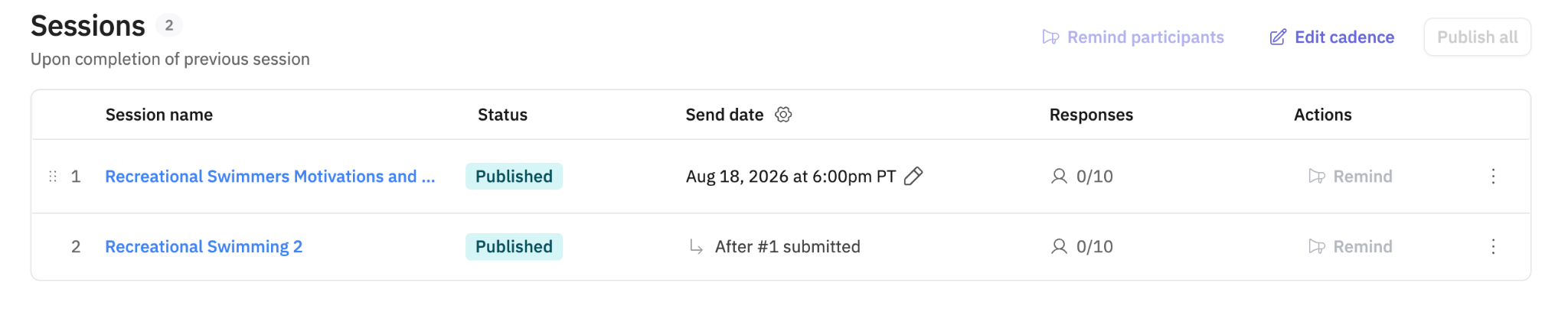
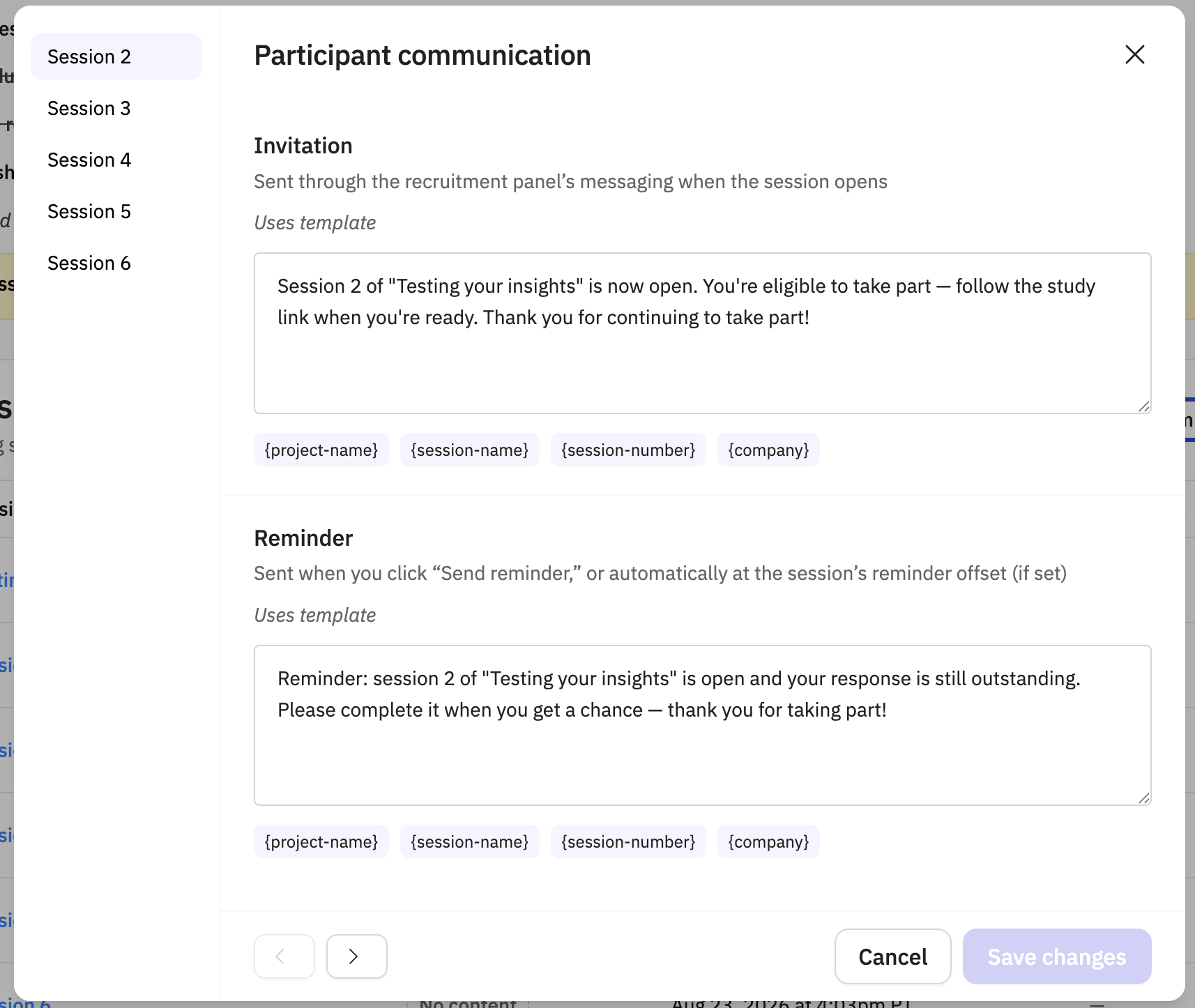
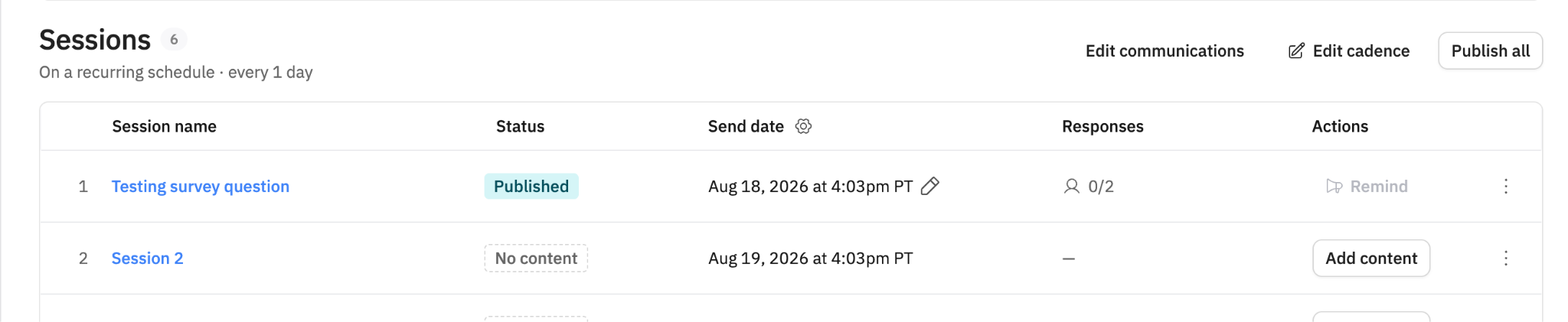
Once your study is set up, you’ll see all its sessions laid out in order on the live cadence view, along with each one’s session send window and how many participants have completed each session You can drag a session’s row to reorder it, and each row lets you rename the session, delete it, or open its email template. Diary studies don’t support the card view, so you’ll always work from this list.
If you need to change a session’s send date, do that from the project overview tab. Please note: give the page a moment to save your edit before switching away, since moving too quickly to another tab can cause the new date not to stick.
Publishing sessions
You must publish each session yourself in order for it to be sent to participants. Session 1 goes through a readiness check when you publish it, so there’s no separate launch step beyond that first publish.
Tip: If you get an error when publishing, double-check your project’s Recruitment tab. A missing participant count, study title, or Respondent topic selection is usually the cause.
Closing your study
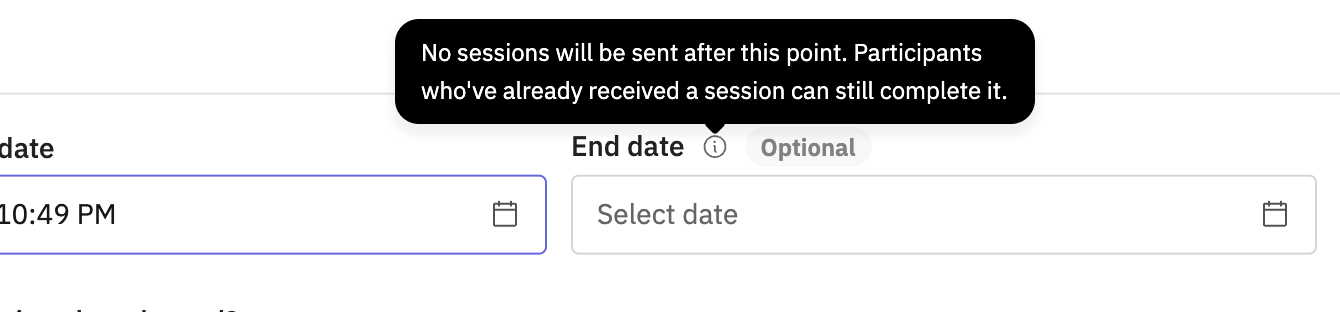
However you’re running cadence, every diary study closes on a single trigger. You can set a close date when you set up the study, close it manually at any time, or let it fall back automatically 30 days after the last session opens if you don’t set one. Closing a study pauses whatever session is still open and triggers the end-of-study bonus for participants who qualify.
Reminders and timing
Outset sends an automatic reminder 24 hours after a session opens for participants who haven’t completed it yet. From there, you can send manual reminders too. You can send a manual reminder 48 hours after the session opens, and then every 24 hours after that. Manual reminders are available for participants recruited through Prolific or Respondent panels.
A few things to know
You need to publish each session in order for it to be sent to participants.
Switching to "Upon completion of previous session" clears the dates on any session that hasn’t opened yet.
If publishing fails, check your Recruitment tab for a missing participant count, title, or Respondent topics.
Studies are capped at 60 sessions and roughly a year in length.
Hope this helps! If you have any further questions, please reach out to our team at support@outset.ai or via chat.