Physical Intelligence
Last updated: July 14, 2026
Physical Intelligence is part of Outset's Visual Intelligence Suite. It enables participants to upload content during an interview, such as photos, videos, or documents. For photo uploads, the AI moderator can analyze what was shared in real time to ask smarter, more contextual follow-up questions.
This is particularly useful when the research question lives in the physical world: what's in someone's pantry, what products are on their shelves, or how they interact with a device in their home.
Part 1: Guide Programming
Adding a Participant Upload Section
Physical Intelligence introduces a new section type in your guide called Participant Upload. To add one:
Open your guide and click + Add Section
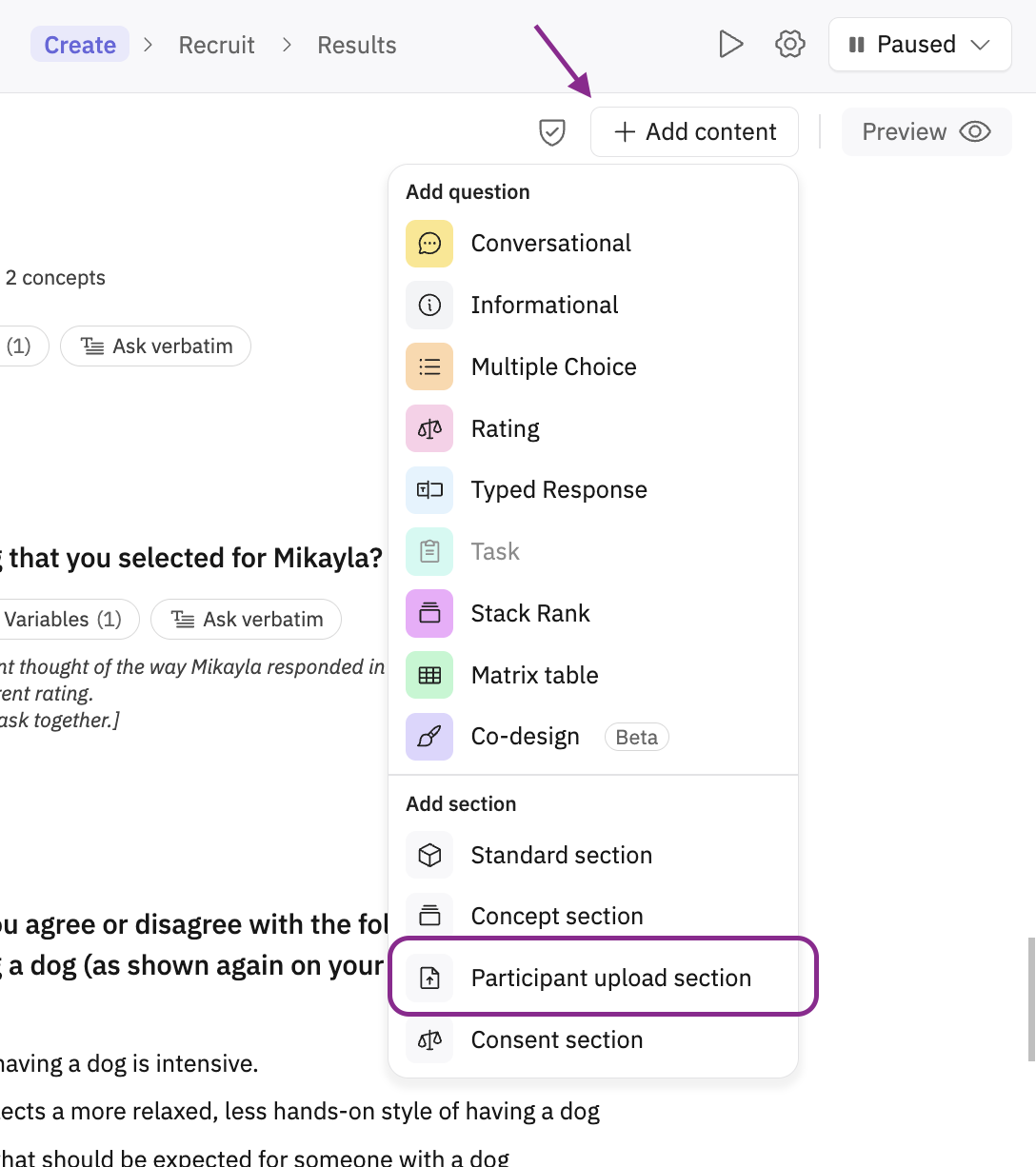
Select Participant Upload from the section type menu
Choose the upload type for the section, such as Image, Video, or Document.
Write a prompt that tells participants what to upload (e.g., "Please upload a photo of the inside of your fridge" or "Please upload the file you'd like to discuss")
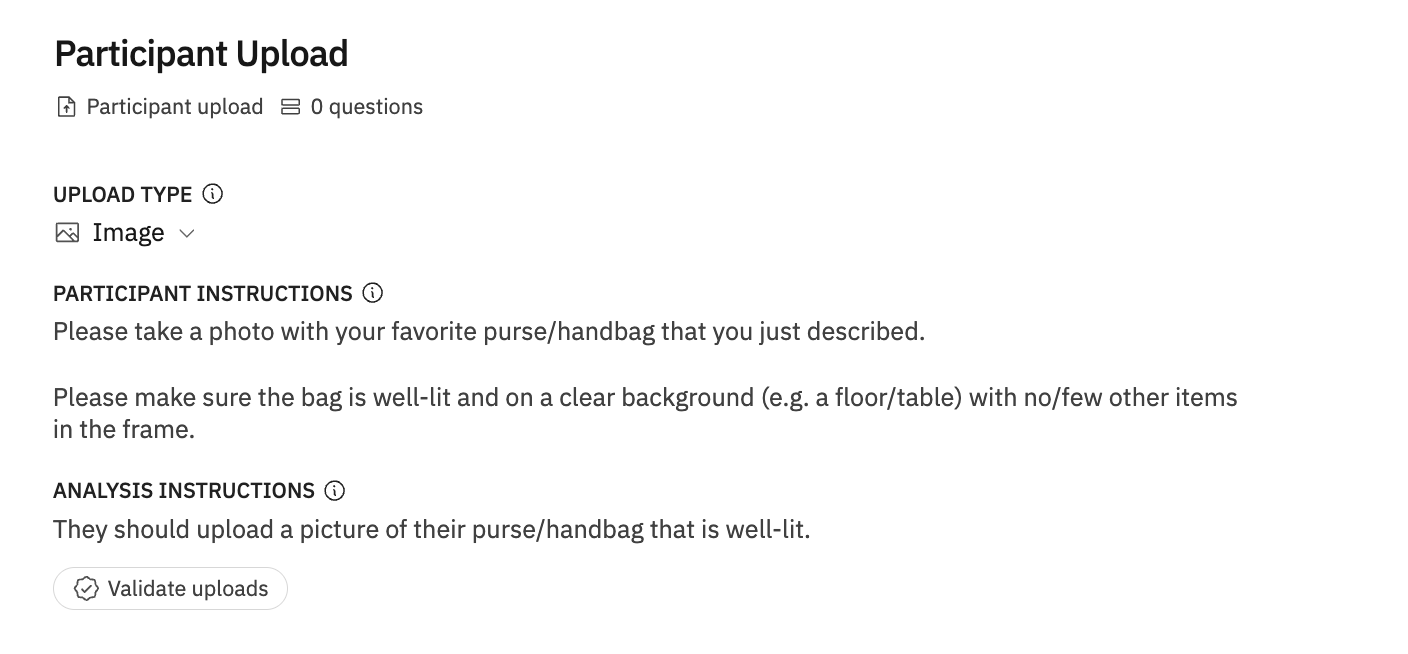
Optionally, add…
Text instructions to give participants more context or guidance. For image uploads, Outset can check whether the uploaded image matches your prompt and ask the participant to re-upload once before the interview continues regardless
Be specific in your upload prompt! The more clearly you describe what participants should upload, the easier it is for them to choose the right content. For image uploads, clear prompts also help the AI validate the image and generate relevant follow-up questions.
Adding Questions to a Participant Upload Section
All standard question types are available within a Participant Upload section. After the upload step, add follow-up questions that ask participants to describe, explain, or react to the uploaded content.
When uploaded content can be shown back to participants, follow-up questions can reference it so participants can respond with context. For image uploads, the uploaded image is displayed as stimulus, and the AI moderator receives an image summary that can support image-aware follow-up questions.
For video or document uploads, use follow-up questions to ask participants to describe or explain the content they uploaded.
Part 2: The Participant Experience
Uploading Content
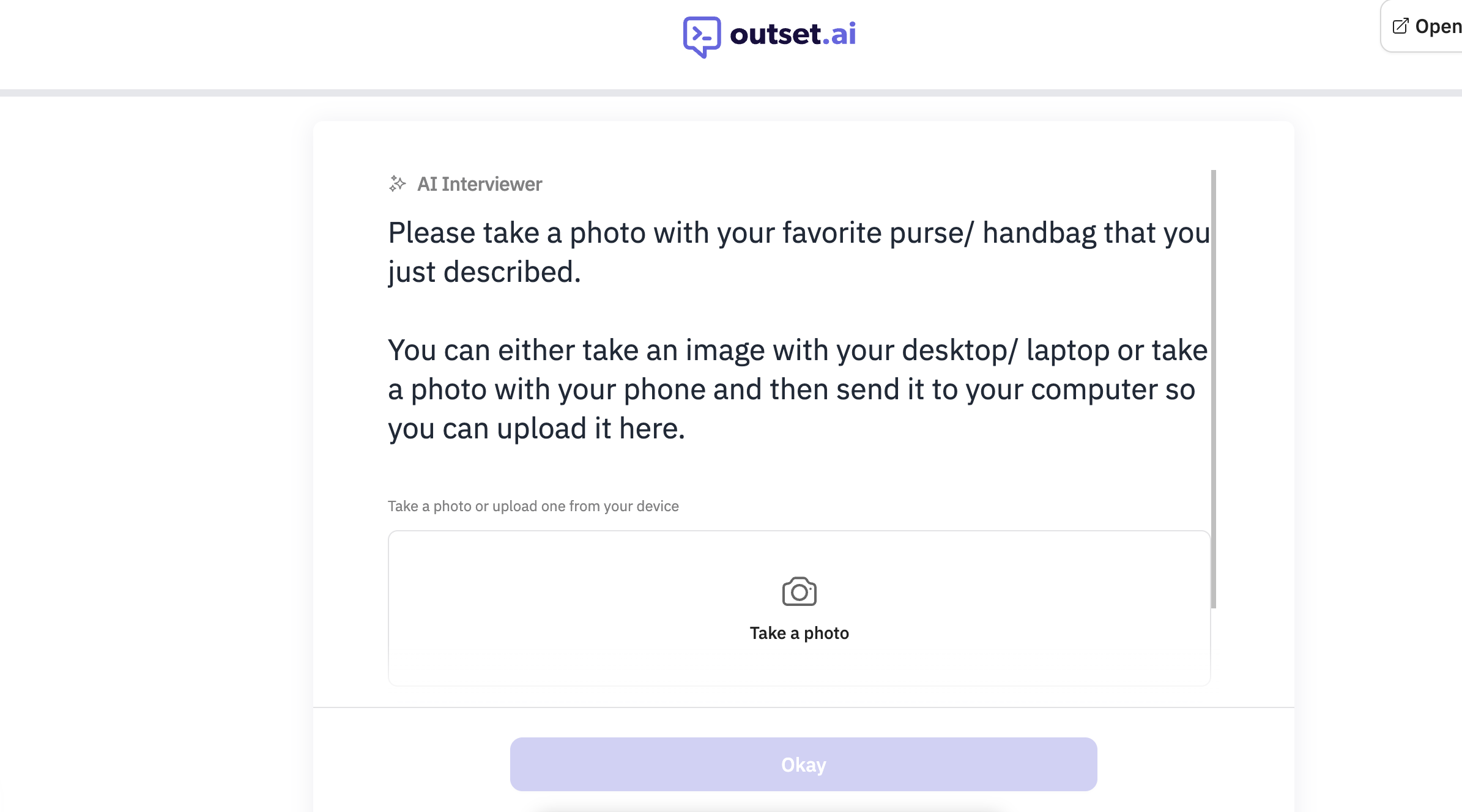
When a participant reaches a Participant Upload section, they'll be asked to submit the upload type you selected for that section. The exact options depend on the upload type and device.
Capture new content (photo/video) — use their device camera when the selected upload type supports it
Upload a file (photo, video, pdf, docx) — choose existing content from their device
Only one upload can be submitted per section.

Validation & Re-upload
For image uploads, once a photo is submitted, the AI runs a quick check to determine whether the image matches the researcher's prompt. If it doesn't match, the participant will be prompted to try again with a clearer image. After one retry, the interview moves forward regardless of the result.
Video and document uploads do not go through this image-match validation flow today.
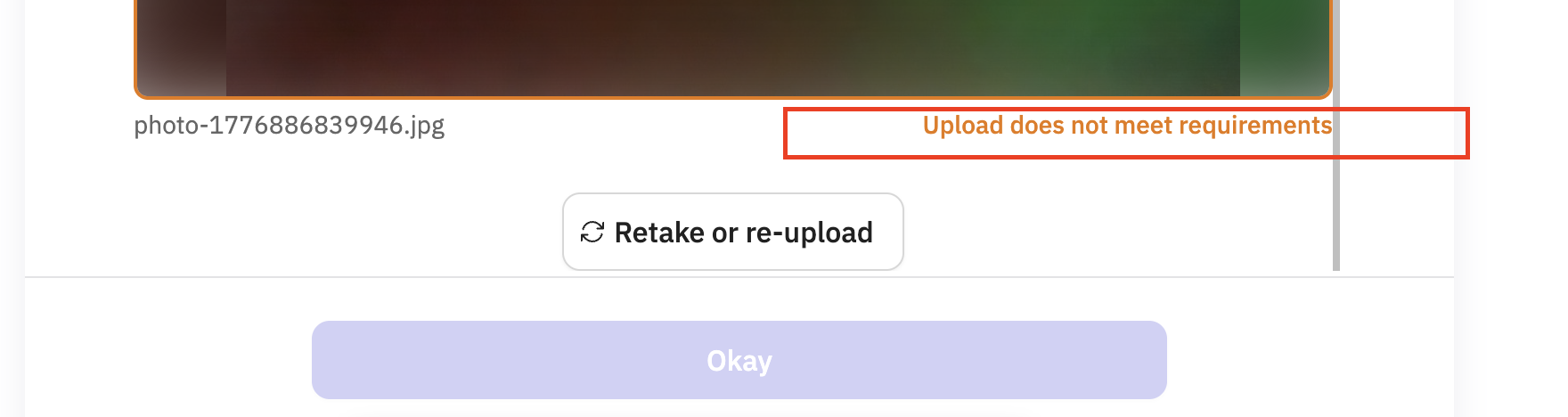
Note: During this phase, mismatched images are tracked internally and flagged on the Transcript and Insights page, but are not routed to Outset's fraud pipeline. This may change in a future release.
Part 3: Analysis
What you'll see in transcripts
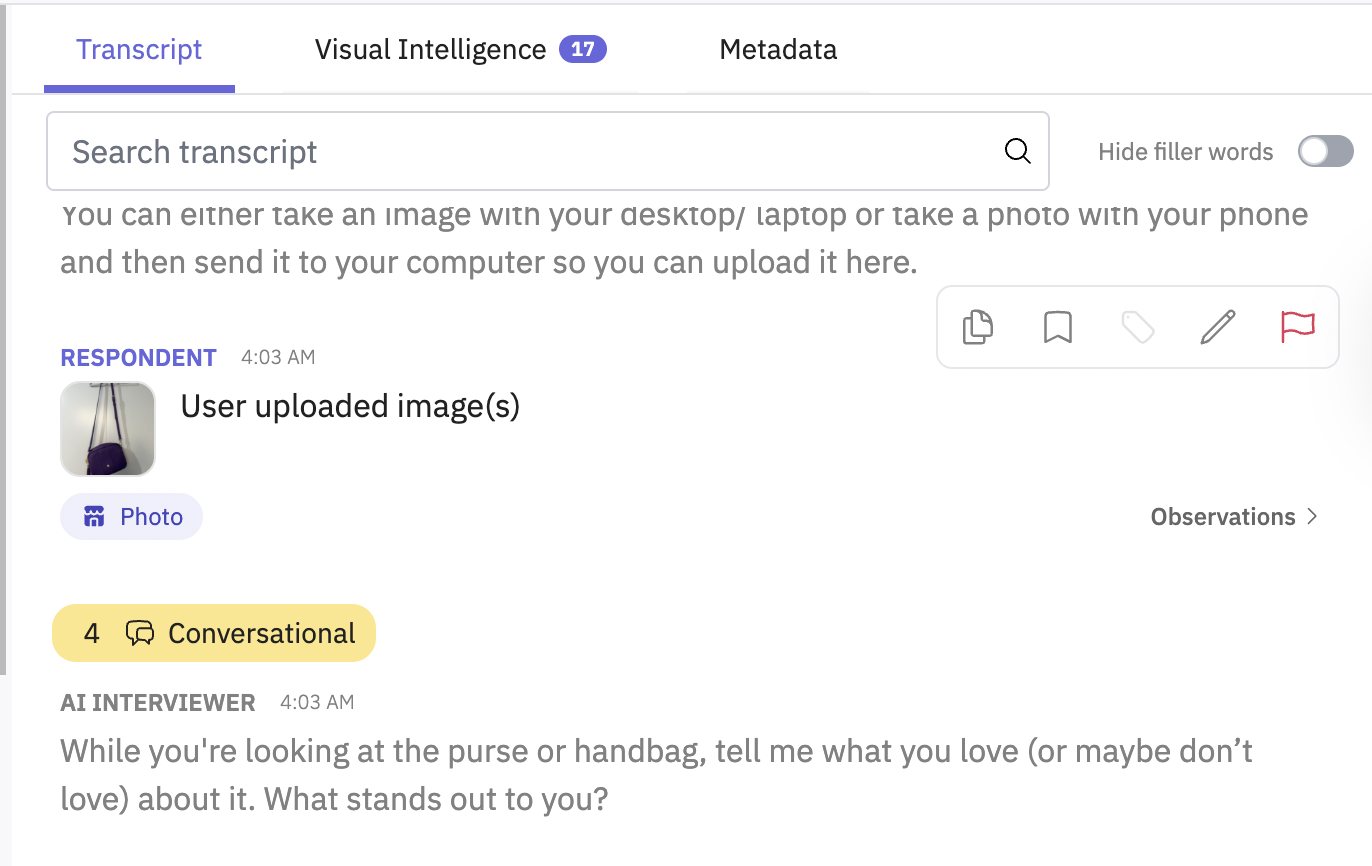
Uploaded content appears in the interview transcript. For image uploads, each uploaded image is treated as a piece of stimulus within the transcript — similar to a researcher-uploaded image. Alongside the image, you'll find:
A text summary of the uploaded content generated by the AI, giving you a quick read on what was captured
Item tags — automatically generated labels identifying objects and elements visible in the image (e.g., "cereal box," "cleaning products," "dog")
Aggregate view
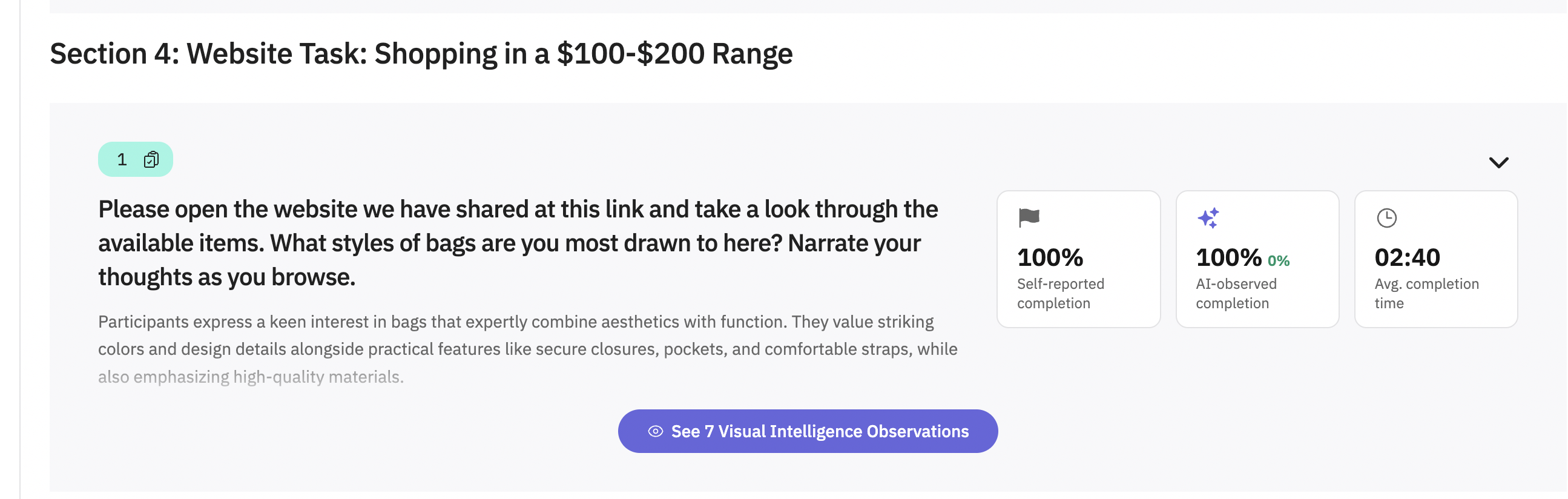
Item tags are surfaced both for individual responses and in aggregate across all participants — making it easy to spot patterns, like which products appear most frequently across your sample.
Example use cases
Use Case | What participants upload |
Pantry/kitchen audit | Photo of fridge or pantry shelves |
Product research | Photo of a store shelf or product packaging |
Home environment study | Photo of a workspace, living room, or kitchen |
Wearables / hardware | Photo or video of themselves wearing or using a device |
Campaign / screenshot research | Screenshot from their camera roll or screen |
FAQs
Participant Upload sections work with text, voice, and video interviews on desktop web and mobile web. Before you get started, a few things to note:
❌ Mobile web usability studies
❌ Mobile app usability studies
Video, PDF, and DOCX uploads are supported for all workspaces
❌ Live video analysis during the interview (e.g. flipping to analyze a camera feed in real time)
Can participants upload videos or documents?
Yes. Video, PDF, and DOCX uploads are supported for all workspaces. Videos can be MP4, MOV, or WebM files up to 1.5 GB. Uploaded content appears in the interview transcript, and videos are included in interview video exports. Uploaded video content is not fully analyzed in reports yet.
Which file types can participants upload?
Participants can upload PNG or JPG images, MP4, MOV, or WebM videos, and PDF or DOCX documents.
What happens if a participant submits the wrong content and re-upload is not enabled?
The interview will continue with the submitted content. For image uploads, the AI will still analyze and summarize what it sees, and the image will be tagged accordingly.
Can I add more than one Participant Upload section to a guide?
Yes — you can include multiple Participant Upload sections in a single guide. Each section allows one participant upload.
Is Physical Intelligence available for mobile web and mobile app usability studies?
Physical Intelligence is supported for desktop web and mobile web interviews. It is not supported for mobile web or mobile app usability studies.
Hope this helps! If you have any further questions, please reach out to our team at support@outset.ai or via chat.